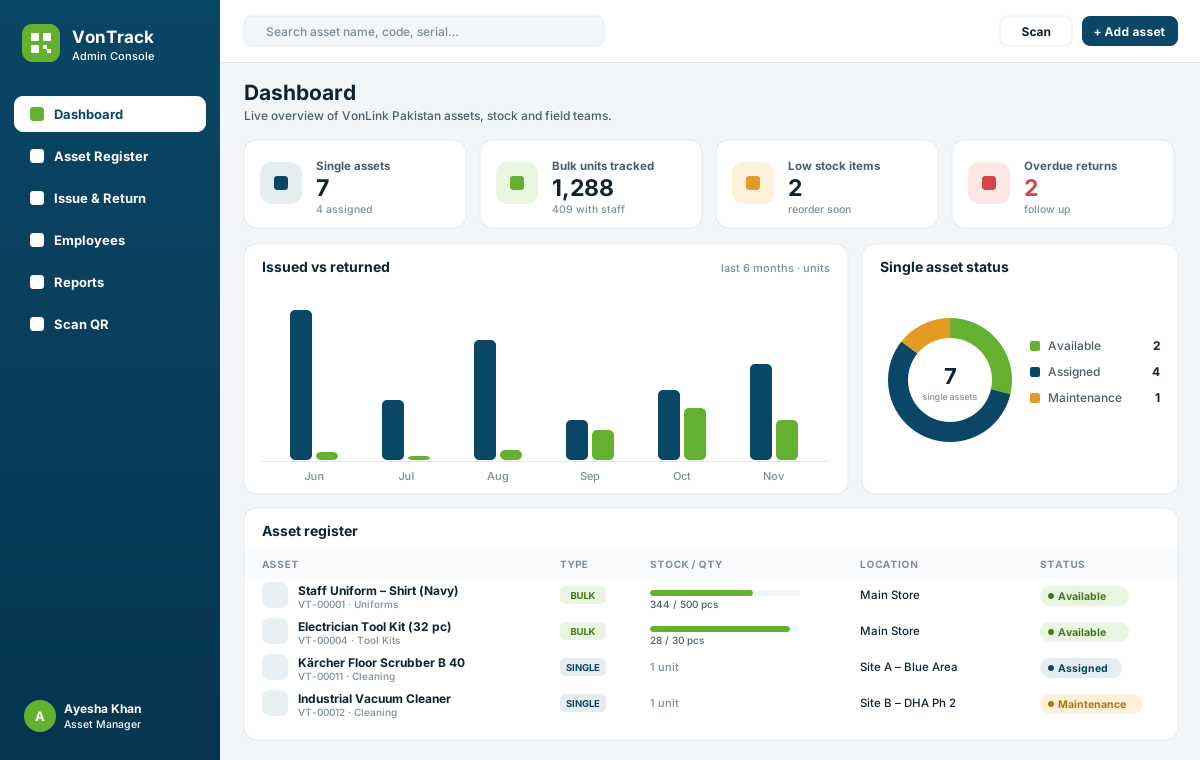
Every uniform, tool kit and machine — one scan away.
VonTrack tags every asset with a QR code and tracks it from the store to the site: who has it, how many are left, when it was serviced and its full history. Built by VonLink Pakistan for companies that equip people in the field.
Built for how facility companies actually hold stock
A laptop and 400 staff shirts need different tracking. VonTrack handles both in the same system, with the same QR labels.
Single assets
Serialised equipment
Laptops, phones, floor scrubbers, generators, vehicles — every item is one record with its own QR code.
Serial / IMEI / chassis number
Current holder and site
Warranty and next-service dates
Condition on every return
Full issue, repair and scan history
VT-00008Serialised equipment
QR label
Bulk stock
Uniforms, tool kits & PPE
Quantity-based items. One QR code per stock line, issued to employees in any quantity and size.
Total, in-store and with-staff counts
Sizes and variants (S–XL, 30–38)
Minimum-stock alerts
Partial returns and damaged write-offs
Kit issued per employee, per site
VT-00001Uniforms, tool kits & PPE
QR label
Features
Everything between the store room and the site
Admin console for managers, a simple team dashboard for supervisors and staff, and a public scan page on every sticker.
QR labels & scan page
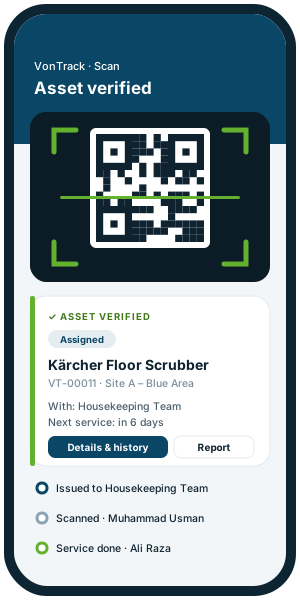
Print A4 label sheets. Any phone camera opens the asset page, no app needed.
Issue & return
Issue to an employee, team or site with a due date. Record full or partial returns with condition.
Complete history
Every issue, return, scan, stock movement and repair is logged with date and user.
Low-stock alerts
Set a minimum level for uniforms and kits and see what to reorder before it runs out.
Maintenance & service
Send machines to maintenance, set next-service dates and see what is due in 14 days.
Employee accountability
See exactly what each employee holds. Clear handover when someone leaves.
Reports & export
Stock levels, asset value by category, overdue returns. Export to Excel in one click.
Roles & permissions
Asset Manager, Supervisor and Team Member roles, each with its own dashboard.
How it works
Live in a week, not a quarter
01
Register assets
Add single items and bulk stock lines, or send us your Excel sheet and we import it.
02
Print & tag
Print QR label sheets and stick them on equipment, kit bags and store shelves.
03
Issue to staff
Supervisors issue uniforms, kits and devices to employees from their phone.
04
Scan & track
Scan any label for details and history. Managers see everything live on the dashboard.
Live demo
Click around the real system
This is the actual VonTrack interface running on sample data. Switch between the Admin Console, Supervisor and Team Member views, issue a uniform, scan a label.
No. Supervisors and staff open the team dashboard in the phone browser, and the QR stickers open with the normal camera app.
How do you track uniforms that come in sizes?
Each uniform line is a bulk asset with its size range and quantity. You can keep one line per size if you want exact size counts, and issue any quantity to an employee.
What happens when an employee leaves?
Open the employee to see everything they hold, record the returns with condition, and the stock goes back to the store automatically.
Can we import our existing Excel inventory?
Yes. Send your sheet and we set up categories, sites and the asset register before go-live.
Where is our data stored?
VonTrack runs on your own WordPress website and database, so the data stays with your company.
Who can see the asset details when a sticker is scanned?
You choose: nothing without login, basic details with a report-problem contact, or full details. Logged-in staff always see the full record.
Get started
Tag your first 100 assets this month
Book a free walkthrough. We will set up a trial with your own categories, sites and a sample of your stock.
WhatsApp & call+92 330 8888 532
Office+92 051 2285 078
Emailinfo@vonlink.pk
AddressOffice #09, First Floor, Chand Plaza, G-9 Markaz, Islamabad